Table of Contents
Gira Home System
Intro
Gira offers an eco system for home automation based on KNX/EIB.
Or, as they put it in their own words:
Gira is a leading complete supplier for intelligent system solutions for electronic, networked digital building control systems. Gira products and solutions represent "Made in Germany" quality, which means the most environmentally friendly and sustainable operations possible and much more. This is one of the many good reasons you can find switches and communications and security systems from Gira in use today in more than 40 different countries.
Gira HomeServer
The Gira HomeServer is the core interface of the system bringing together ("bridging") the different technologies. It runs the firmware on dedicated Hardware sold by the vendor.
Particularly complex solutions can be implemented by using a Gira HomeServer or a Gira FacilityServer. As the interface between the modern electrical installation and the computer network, the server controls all the building technology components that are networked via the KNX system.
The Gira FacilityServer is mainly the enterprise counterpart with rack style hardware.

Other than that, there is no difference between those two flavours. They are using the same firmware and client software, that is.
Gira HomeServer (virtual)
I have the original HomeServer 4 Hardware up and running. Unfortunately, the responsible electrician chose the HomeServer variant of the hardware. As it turned out that piece of hardware runs on very high temperature during normal operation which completely ruins the balance within the server rack (where it obviously does not quite fit from an aesthetic point of view either).
Having a stable virtual environment running for several years I finally could not resist trying to figure out the possibility of running the Gira firmware on a virtual machine instead and get rid of that heating unit in my rack.
I found a small promising community in the Netherlands that got me on track.
- Topic 1 - VM downloads (Xenserver, VirtualBox, VMWare)
- Topic 2 - HS4 Update 4.4
- Topic 3 - HS3 Tutorial german
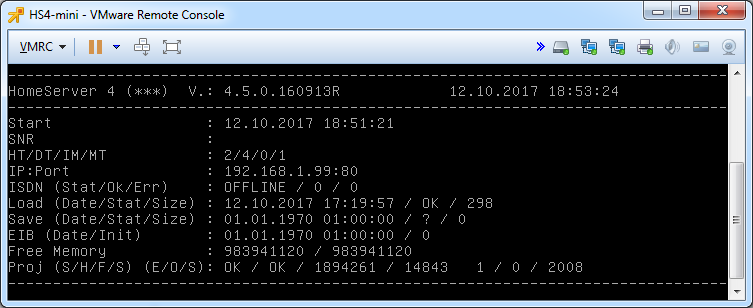
This is the VMware virtual machine I started with.
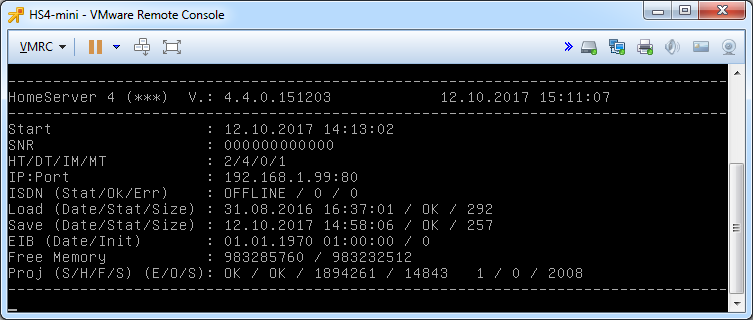
SNR is your original MAC address. I nulled that out for tutorial purposes. Keep in mind that MAC addresses are whitelisted within the firmware code. You cannot use a random address, use the MAC of your original hardware instead.
Credentials:
- Linux: root/passwd
- Experte: admin/admin
The VM has a static IP configured. Most likely that will not fit your own network setup.
Check the interface and routes with the following commands:
[root@homeserver]# ifconfig [root@homeserver]# route -nChange it to your subnet / VLAN as follows:
Case 1 - Only change IP address (same subnet)
[root@homeserver]# ifconfig eth0 192.168.1.150 netmask 255.255.255.0Case 2 - Change IP address and subnet / default gateway
  [root@homeserver]# ifconfig eth0 down

  [root@homeserver]# ifconfig eth0 192.168.75.150 netmask 255.255.255.0 broadcast 192.168.75.255 up

  [root@homeserver]# route add default gw 192.168.75.1
For further information see 1.3. Changing IP Addresses and Routes.
To keep these settings after reboot edit /etc/network/interfaces with the above values.
Important: That settings apply directly after reboot, but hs_main overwrites them after about 1 minute.
Tip: If your change to IP address of eth0 is not persistent (probably due to Gira hs_main or network-manager interfering), add a second network adapter to the virtual machine and configure that one (most likely eth1). Just leave eth0 as it is and use eth1 to connect with the Gira Expert software.
Tip 2: Change IP of eth0 via project
- start experte on your Windows machine, create a new small project
- disable quad-data
- edit ip-adress in masterdata (stammdaten)
- edit user (benutzer) and add admin/admin
- save and transfer via network
Trying to update the firmware via Expert:
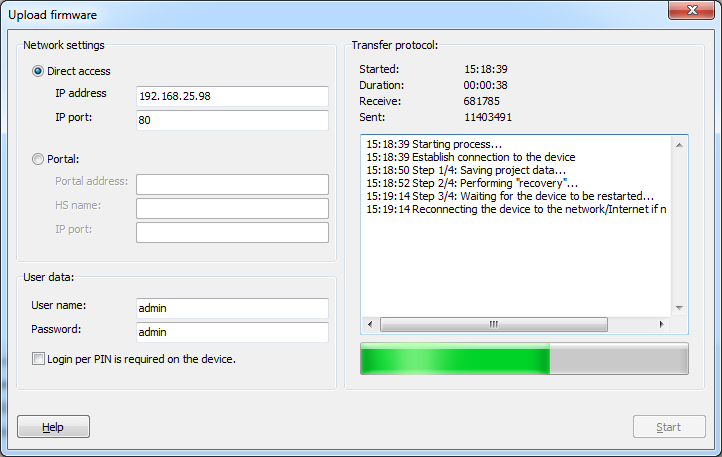
Manual update procedure:
- extract INITRD file from firmware.dat and upload it to HS eg /home/temp directory
- rename INITRD to INITRD.gz
gzip -d INITRD.gzcpio -i < ./INITRD- copy listed directories (/hs /lib /usr) to /
cp -r -f /tmp/hs/* /hscp -r -f /tmp/lib/* /libcp -r -f /tmp/usr/* /usr
- restart HS, upload new project
Connection and access worked flawlessly. Unfortunately the new firmware results in endless reboot, complaining about an index error in file hssrc/hs_eib.py.
TODO: I still have to sort this one out. For starters, I stick to firmware version 4.4
Idea 1: Make sure you chmod 755 the files you copied. Otherwise it won’t have the execute permission and the HS will reboot infinite.
After automatic backup restore. Happened when I started firmware update next time.
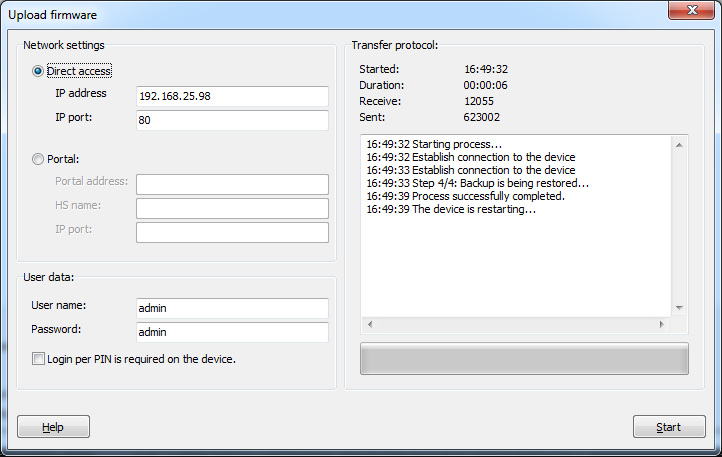
New try